
A full image set for every listing in your catalog
Cobalt12 turns the photos your sellers already have into complete image sets: a clean main image and a gallery that shows the product in use, its size and what it is made of, captioned in your marketplace’s language. For marketplaces, retailers and agencies with large catalogs.
No public price list: we quote by volume, after a pilot on your own listings.
35 of 35 frames accepted in our quality test
What Cobalt12 does for a catalog
Full image sets
Seven frames per listing from the photos it already has: the main image on pure white, the product in use, infographics, dimensions and close-ups. Each set is planned for its product, and its captions use what is printed on the product and what the listing says.
Photo cleanup to your rules
Captions, banners, logos, watermarks and seller contacts added on top of a photo come off, while what is printed on the product itself stays. The cleanup follows your marketplace’s photo rules.
Captions in your language
Headlines and captions on the images are written in your marketplace’s language, such as English or Ukrainian.
Amazon listings for brands and agencies
For teams that sell on Amazon: the images and every listing field, drafted from the brand’s Seller Central data and validated by Amazon before anything is published.
From one phone photo to a full set
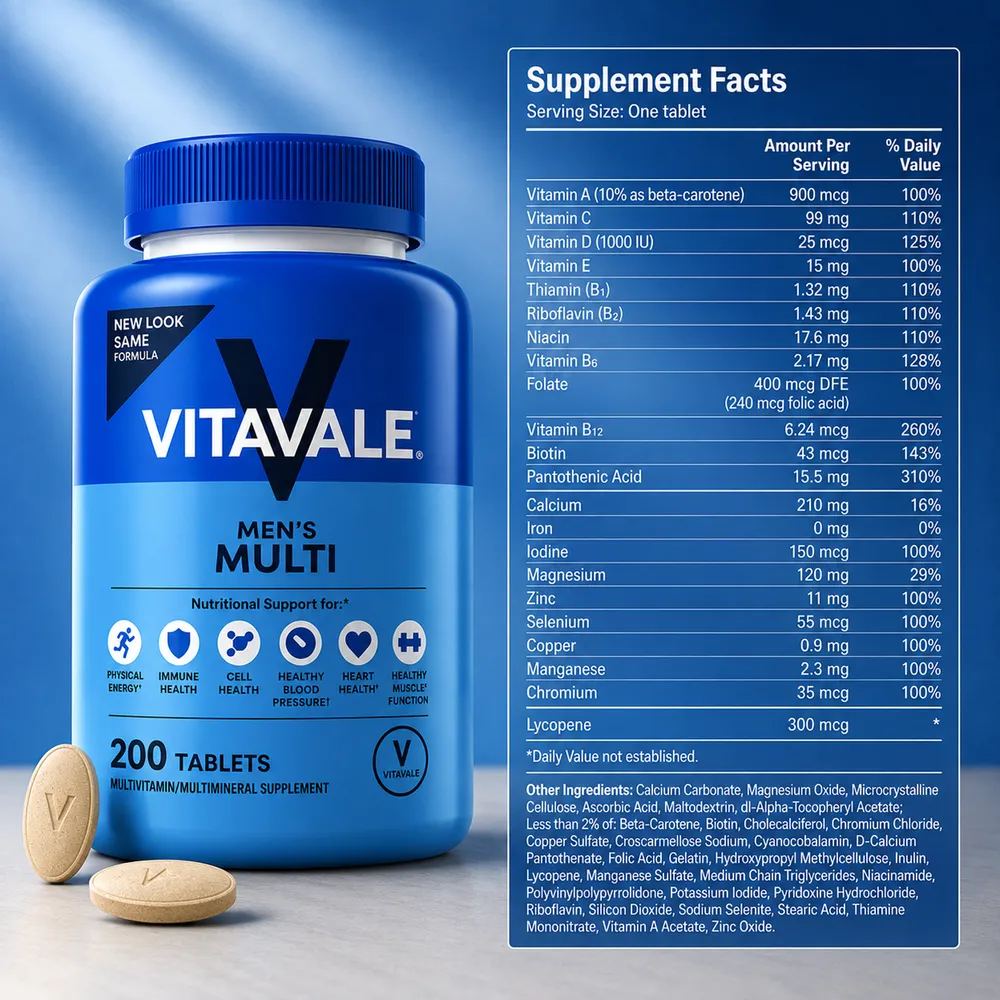
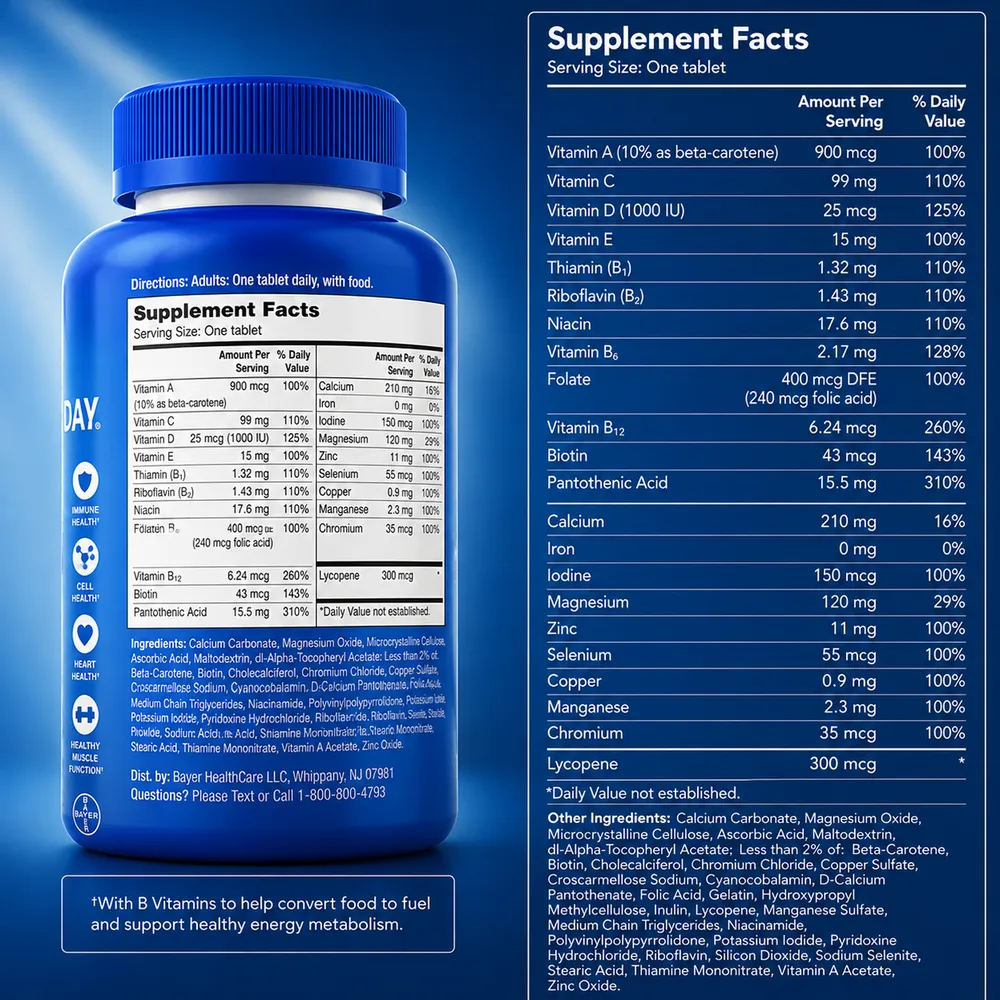
A multivitamin photographed on a desk with a phone, and the seven frames Cobalt12 made from that photo.
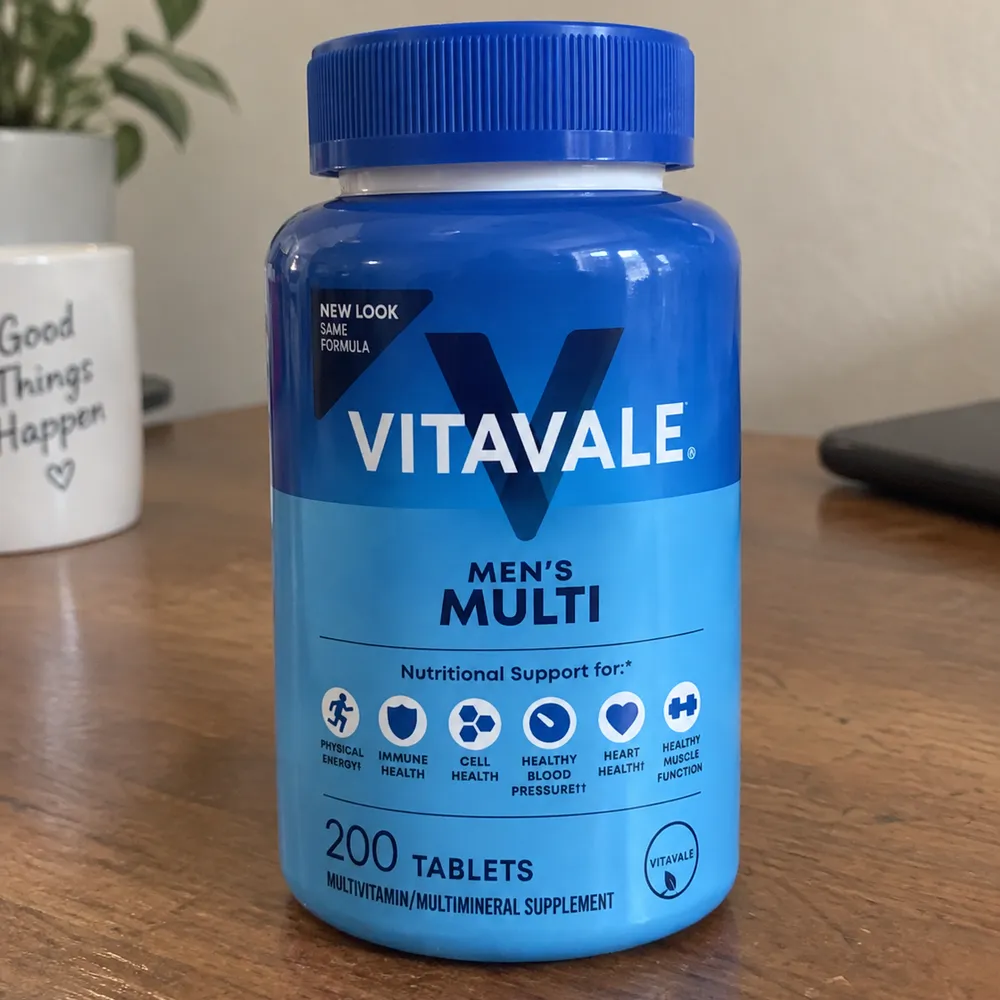
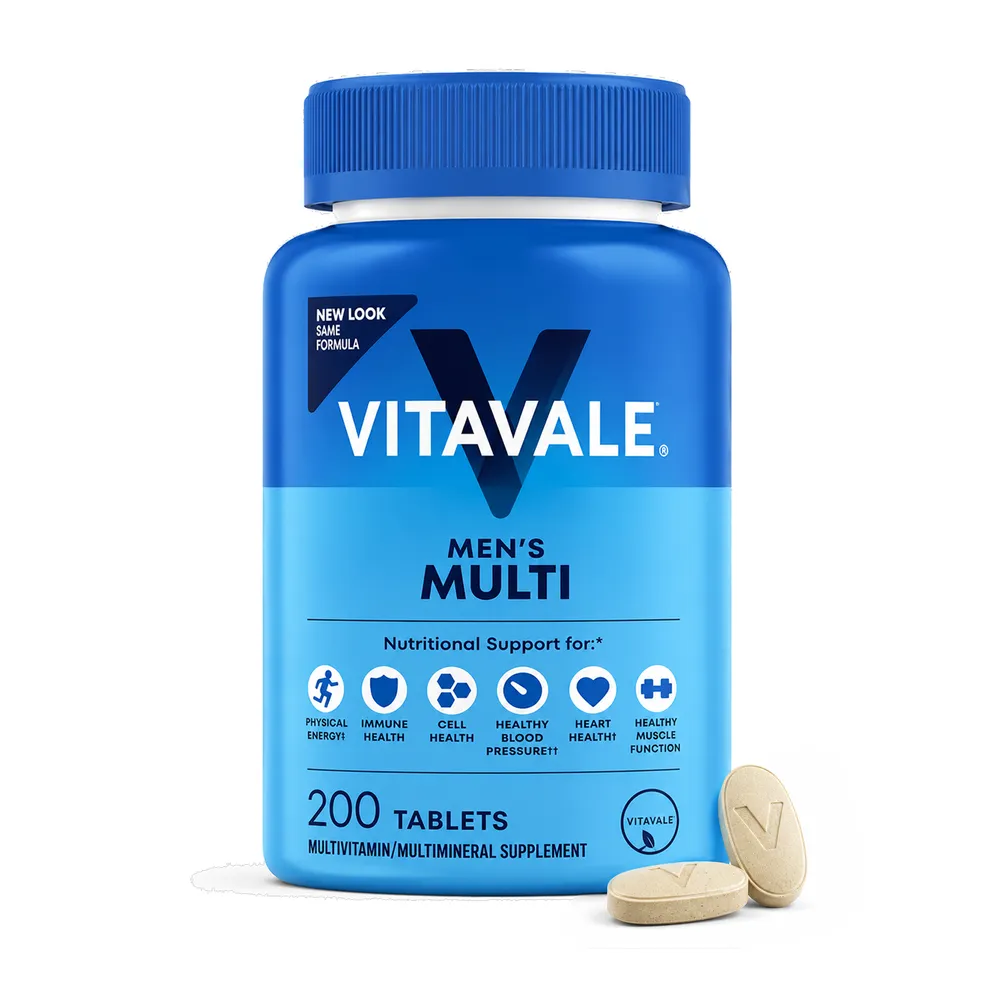
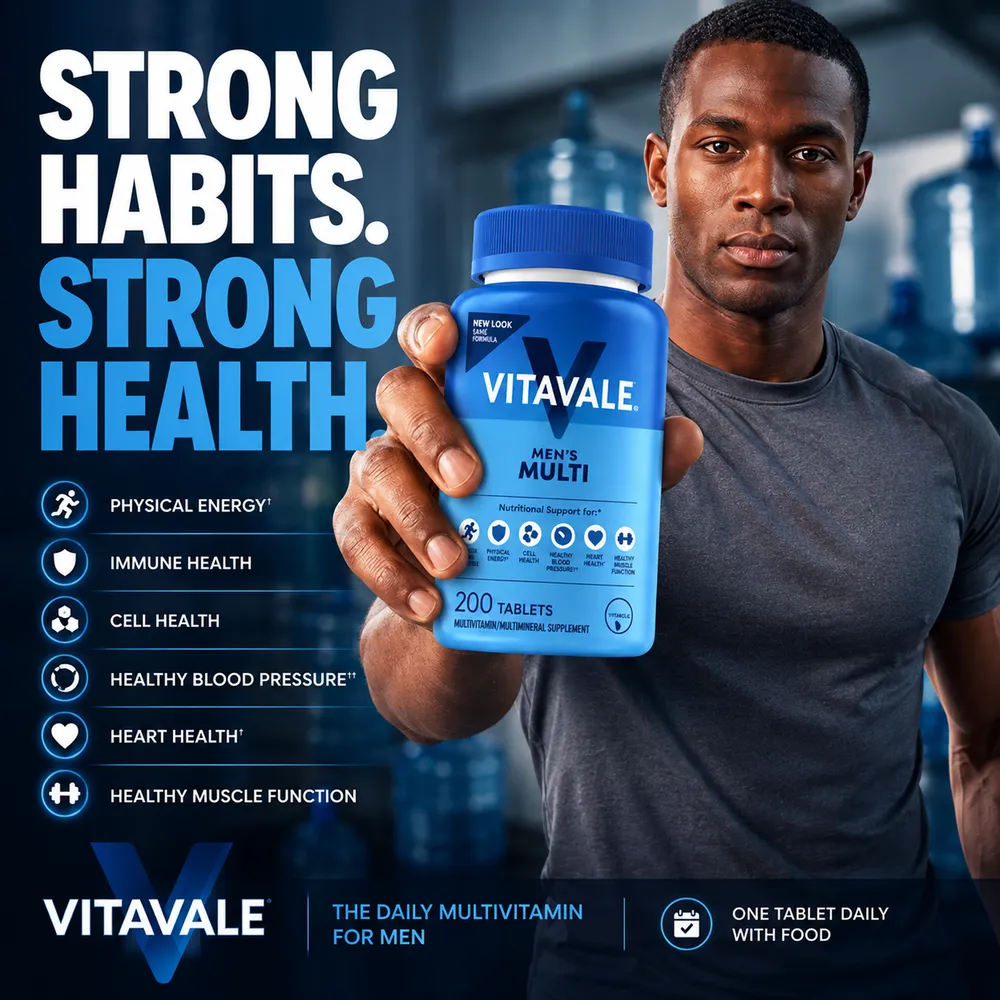
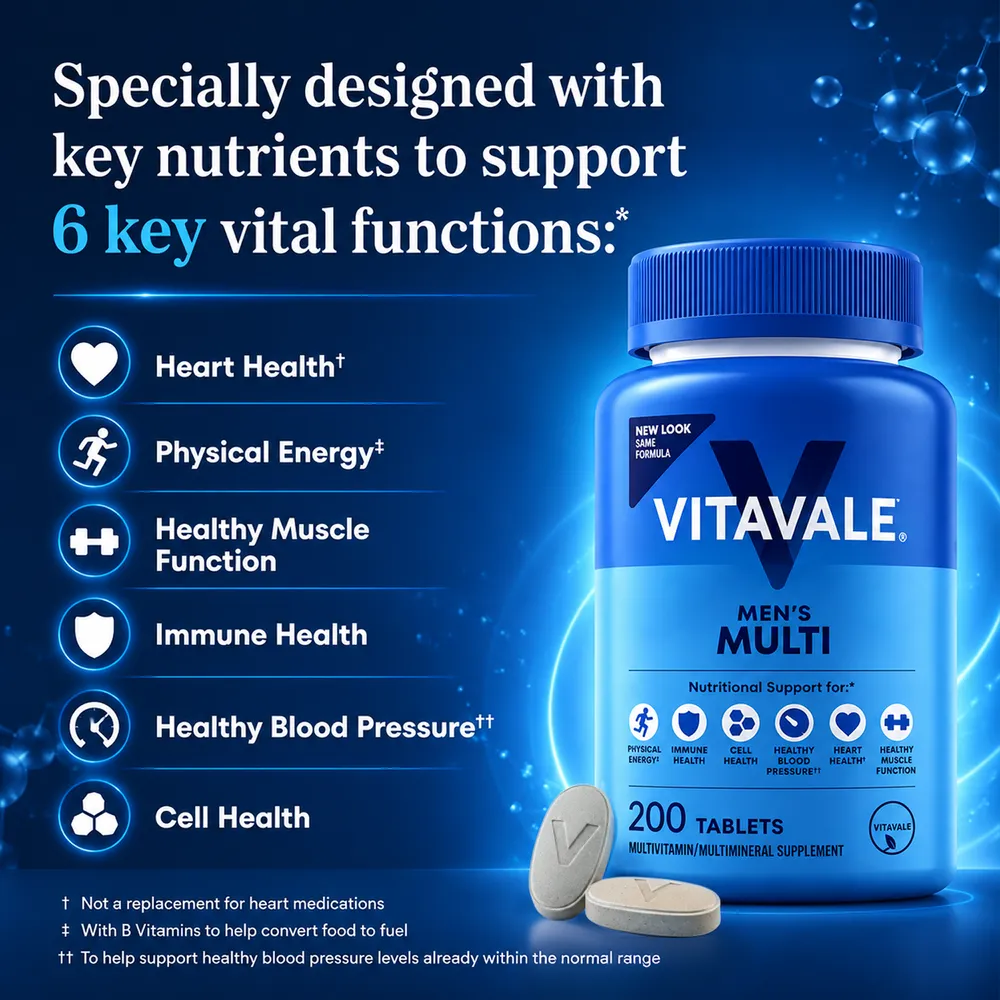


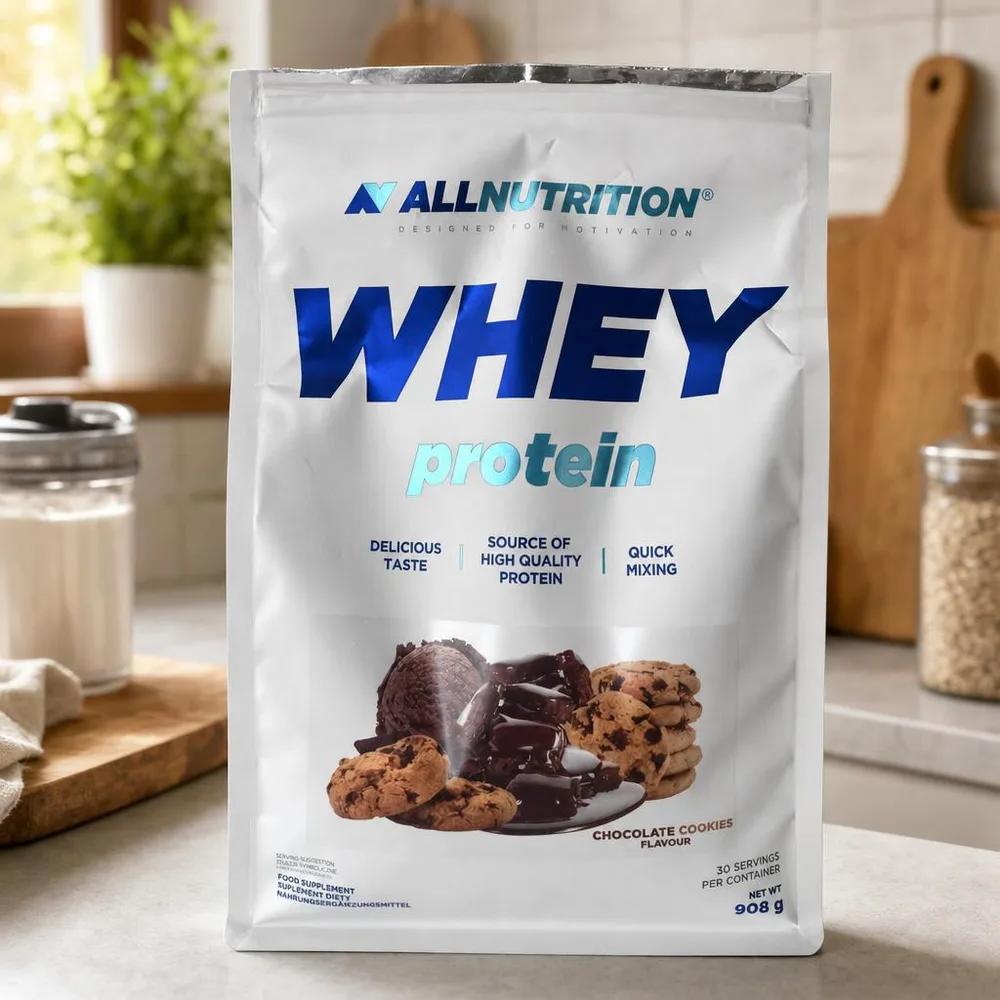
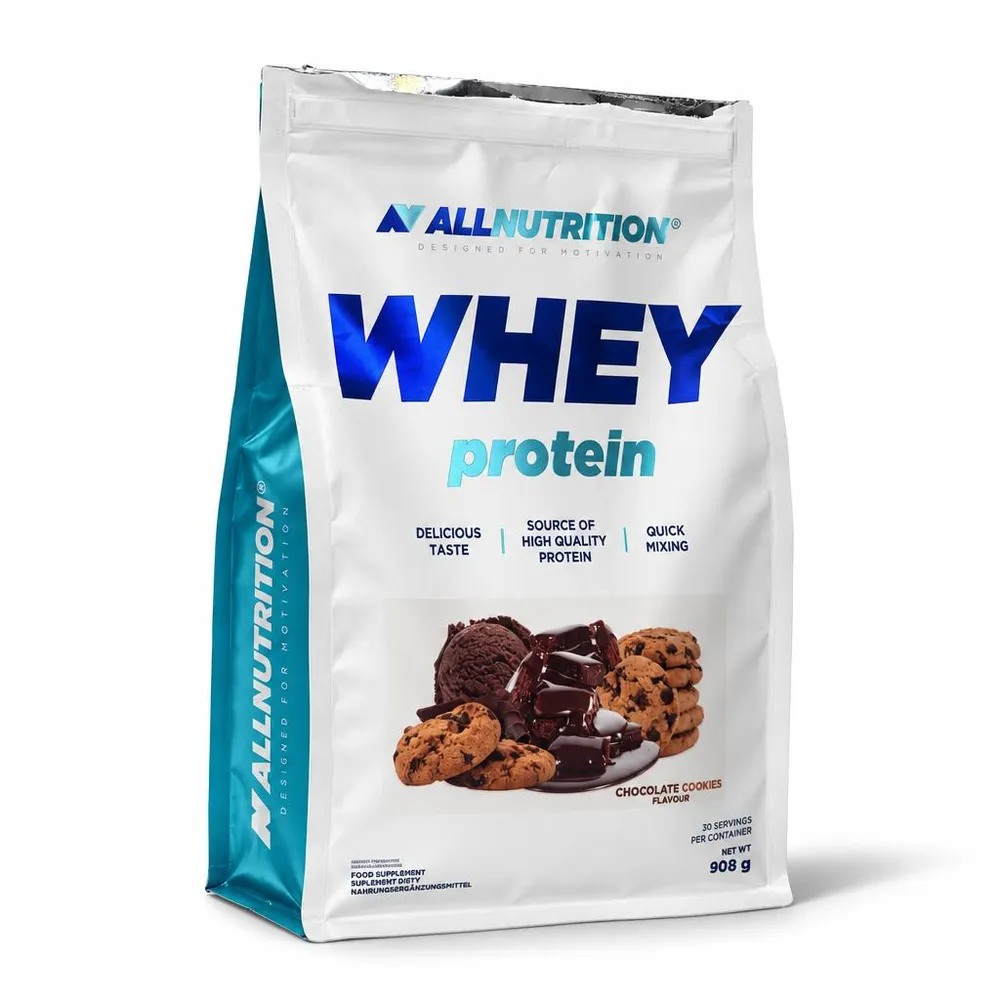
A kitchen-shelf photo, made into a main image
The same bag and label on a pure white background, ready for a marketplace’s main-image rules.
Built to keep the product true
The product stays the product
Every frame starts from the listing’s own photos. Shape, colour, label and quantity carry over, and the scene changes around them.
Captions from facts
Captions draw on what is printed on the product and what the listing says, not on guesses about it.
Every frame explained
Each frame comes with its plan: what it is for and which facts it uses, so a reviewer can check it quickly.
Frames you choose
Sets are planned per product, and you can require the frames every listing must have, such as dimensions.
35 of 35 frames accepted
We made seven-frame image sets for five real marketplace listings with Cobalt12 and three other AI tools, then checked every frame by hand.
- 100%Cobalt1235 of 35 frames accepted
- 80%The same image model, used directly28 of 35 frames accepted
- 60%An AI photo editor21 of 35 frames accepted
- 31%A background replacement service11 of 35 frames accepted
How we ran it
- 01
Five real listings
Two power banks, a grill, a wardrobe and a BB cream. Their photos carried watermarks, ads, collages and yard backgrounds.
- 02
Seven frames from each tool
A main image on white, then in-use shots, close-ups, infographics and dimensions, captioned in the marketplace’s language.
- 03
Each tool used as a seller would use it
Cobalt12 read the listing’s photos and data, then planned the set. The others got the seller’s photos and a plain request for each frame, without the listing’s data.
- 04
Every frame checked by hand
We marked each frame accepted, partly accepted or rejected.
A frame is accepted only if
- The product is unchanged: shape, colour, details and the print on it
- Numbers and facts come only from the listing or the pack
- Text is in the right language, with no errors
- There are no ads, logos or watermarks the product does not carry
- There are no invented objects or packaging
We ran and scored this test ourselves. The photo editor and the background service take one photo through their APIs, so they worked from the main photo. The background service cannot draw infographics and ran in its trial mode; its trial watermark did not count against it. All frames were 1024 px. The listings belong to marketplace sellers, so their frames are not shown here, and we go through them with you on a call.
The results, frame by frame
Each tool made 35 frames, seven for each listing. Partly means a smaller fault, such as a grill placed in a kitchen.
- Cobalt12
Read the listing’s photos and data, then planned the set
35 accepted · 0 partly · 0 rejected
5 of 5sets with no rejected frame - The same image model, used directly
The seller’s photos and a plain request for each frame
28 accepted · 1 partly · 6 rejected
1 of 5sets with no rejected frame - An AI photo editor
The main photo and the same plain requests
21 accepted · 3 partly · 11 rejected
0 of 5sets with no rejected frame - A background replacement service
A cutout of the main photo on white and on six generated backgrounds
11 accepted · 3 partly · 21 rejected
2 of 5sets with no rejected frame
We also re-rendered the 35 Cobalt12 frames in the faster quality mode meant for large volumes: 35 of 35 again.
What got frames rejected
Cobalt12 and the direct run used the same image model. The difference is the work before a frame is drawn: Cobalt12 reads the listing, plans the set and gives each frame its facts.
- Cobalt120 of 35 rejected
Nothing rejected
Numbers came from the listing and the pack. On the cream, it read the ingredients off the tube in the seller’s photo and used them in an infographic.
- The same image model, used directly6 of 35 rejected
It guesses what it was not told
With no listing data to work from, it made some up: 3 mm steel on a 4 mm grill, a 600 mm depth on a 450 mm wardrobe, a weight and a volume nobody stated. It also wrote captions in the wrong language and drew a jar for a cream sold in a tube.
- An AI photo editor11 of 35 rejected
Its text means nothing
Captions and dimensions came out as strings of meaningless characters, and it brought watermarks and old ad banners back onto new frames.
- A background replacement service21 of 35 rejected
It changes only the background
On three of the five listings, what the seller put on the photo stayed on all seven frames: the ad headline, the badges, a stack of books. It is built for backgrounds, not for full sets.
Five listings is a small test, and it measures image quality, not sales. A pilot on your own listings shows both.
Start with a pilot on your listings
- 01
Pick listings
Choose the listings to test, from best sellers to the ones whose photos hold them back.
- 02
We make full sets
Seven frames per listing, and cleanup where photos break your rules. You review every frame before it goes live.
- 03
Compare
Run the new images against unchanged listings over the same period, and decide on the numbers.
- Impressions
- Click-through rate
- Conversion
- Orders
- Returns
- Accepted frames
Delivery that fits your catalog
Send listings as a feed or as files with their photos and data, and get finished images back named and sized for your catalog. Whether that runs as a file exchange or an API connection is agreed during the pilot.
Your data stays yours
Photos and listing data are used only to make your images. They are not used to train AI models, ours or anyone else’s.
Cobalt12 is run by CobaltAI OÜ, a company registered in Estonia, in the EU. Images are made with OpenAI’s models through its API, which does not train on API data.
Pricing on request
The price depends on volume, image size and quality, and how many frames each listing needs. We quote after the pilot, from your own listings rather than a guess.
Request a pilot
Tell us about your catalog. We answer from corporate@cobalt12.com.